Why You Need a VPN for Travel (And Which One to Pick)
You don’t have a VPN for travel yet? Well picture this: You’ve just landed in Paris. You’re sitting in a charming sidewalk café with a croissant in one hand and your phone in the other, eager to upload that “view from the plane” shot to Instagram. You scan for Wi-Fi, find a network named “Cafe_Guest_Free,” and tap to connect. Boom—you’re online.
But here is the uncomfortable truth: You might not be the only one watching your screen.
Introduction
While we obsess over pickpockets stealing our wallets, we often ignore the invisible pickpockets swiping our digital lives. According to a recent report by Panda Security, nearly 40% of Americans suspect they’ve experienced a security incident after using public Wi-Fi. The risks are so prevalent that the FBI has issued specific warnings to travelers about the dangers of connecting to hotel and airport networks, where cybercriminals can easily intercept your data.
This is where a VPN for travel (Virtual Private Network) becomes your most essential companion.
If you aren’t a “tech person,” don’t worry. As Microsoft explains, a VPN is simply a tool that creates a secure, encrypted tunnel for your internet traffic. It effectively puts a bulletproof vest on your data, ensuring that even if a hacker is lurking on that coffee shop Wi-Fi, all they see is scrambled code.
But a VPN for travel does more than just stop hackers. From unblocking your favorite Netflix shows to preventing your bank from freezing your credit card abroad, it is the Swiss Army Knife of digital travel gear. In this guide, we’ll break down exactly why you need one and help you choose the best service for your adventures.
The 4 Critical Reasons You Need a VPN For Travel
Security on Public Wi-Fi (The “Digital Safety Belt”)
When you connect to an open Wi-Fi network—whether it’s at Heathrow Airport or a hostel in Bangkok—you are essentially shouting your conversation across a crowded room. Most public networks lack encryption, allowing hackers to perform what is known as a Man-in-the-Middle (MitM) attack. This allows them to position themselves between you and the Wi-Fi router to intercept emails, credit card numbers, and passwords.
A VPN solves this by encrypting your data before it leaves your device. Even if the Wi-Fi network is completely compromised, your information remains unreadable to anyone trying to snoop.
Bypassing Geo-Blocks (The “Netflix” Factor)
Have you ever tried to watch The Office or access your home streaming library while on vacation, only to see the dreaded message: “This content is not available in your region”? Streaming services like Netflix, Hulu, and BBC iPlayer enforce geo-blocking due to licensing agreements.
A VPN allows you to “teleport” your digital location. By connecting to a server in your home country, you can trick these websites into thinking you are sitting on your couch at home, granting you instant access to your usual content libraries.
Accessing Essential Apps in Restrictive Countries
If you are planning a trip to countries like China, Turkey, or the UAE, you might be in for a digital shock. Governments in these regions often enforce strict internet censorship, blocking access to apps you use daily.
The most famous example is the “Great Firewall of China.” As detailed in the Freedom on the Net 2024 report by Freedom House, China maintains the world’s most sophisticated censorship apparatus, blocking thousands of websites. Without a VPN, you will find yourself cut off from:
-
Communication: WhatsApp, Facebook Messenger, and Gmail.
-
Information: Google Search, Wikipedia, and most Western news outlets.
-
Socials: Instagram, Facebook, and X (formerly Twitter).
A VPN with “obfuscation” technology can bypass these firewalls, allowing you to stay in touch with family and access critical travel information (like your flight confirmation emails) that might otherwise be inaccessible.
Avoiding “Suspicious Activity” Bank Freezes
There is nothing worse than standing at a checkout counter in a foreign country, trying to pay for dinner, and having your card declined.
Banks use sophisticated fraud detection algorithms to monitor your spending. If you suddenly log into your online banking from a wildly different location—say, an IP address in Vietnam when you live in Chicago—it triggers a red flag. According to financial experts at NerdWallet, unexpected foreign activity is a primary reason issuers freeze accounts to prevent identity theft.
By connecting to a VPN server in your home country before you log into your banking app, you maintain a consistent digital footprint. Your bank sees a familiar domestic IP address, significantly reducing the chance of your funds being locked up while you’re thousands of miles from home.
The Myth of Cheaper Flights
If you have spent any time on TikTok or travel blogs, you’ve likely seen the viral claim: “Connect your VPN to a server in a developing country, and you’ll instantly save 50% on your plane tickets!”
It sounds like the ultimate travel hack. Unfortunately, it is largely a myth.
The Reality of Dynamic Pricing
While it was true a decade ago that airlines relied heavily on your location to price tickets, their algorithms have evolved. Today, airline pricing is primarily driven by dynamic pricing models—sophisticated systems that adjust fares based on real-time demand, fuel costs, and the specific route, rather than just where the person booking is sitting.
A recent deep-dive experiment by Consumer Reports and separate tests by Thrifty Traveler found that switching your VPN location rarely results in the massive savings promised on social media. In many cases, the price remains exactly the same because the airline’s system pegs the cost to the departure airport, not your IP address.
Furthermore, flight search engines like Skyscanner have explicitly stated that they do not use cookies to inflate prices just because you’ve searched for a route multiple times—another common fear that drives people to use VPNs.
Where It Actually Works (The Exceptions)
That said, a VPN isn’t useless for saving money—you just have to lower your expectations and know where to look. The “location hack” tends to work best for:
-
Regional Domestic Flights: If you are booking a domestic flight within another country (e.g., flying from Buenos Aires to Mendoza), connecting to a server in that country can sometimes unlock “locals-only” fares that are hidden from international versions of the site.
-
Rental Cars & Trains: Unlike airlines, ground transportation companies often have older pricing structures that still vary significantly by region.
-
Digital Subscriptions: YouTube Premium, Netflix, and other digital services often have vastly different monthly rates depending on the country you sign up from.
The Verdict: Don’t buy a VPN solely expecting to slash $500 off your flight to Tokyo. Buy it for security, and treat any small savings on regional travel as a happy bonus.
What to Look for in a VPN For Travel
Not all VPNs are created equal. If you are sitting in a hotel room in Tokyo trying to work, the last thing you want is a connection that crawls at a snail’s pace or drops out every five minutes.
When shopping for a travel VPN, ignore the flashy marketing and focus on these four “must-have” technical features:
Speed & Low Latency
Travel internet is often slow to begin with. A bad VPN makes it worse.
-
The Science: Every VPN inevitably slows down your connection slightly because of encryption overhead (the time it takes to scramble and unscramble your data) and the physical distance to the server.
-
What to look for: Look for a VPN that supports the WireGuard protocol. It is a modern, lightweight technology that is significantly faster than older protocols like OpenVPN, ensuring your video calls don’t turn into a pixelated mess.
A Massive Server Network
You need a VPN that has servers near where you are traveling.
-
Why it matters: If you are in Thailand and your VPN only has servers in the US and UK, your data has to travel halfway around the world and back just to load a webpage. That creates massive lag.
-
The Rule of Thumb: Choose a provider with at least 3,000+ servers globally. This guarantees that whether you are in Peru or Poland, there is likely a fast server nearby.
Obfuscation (The “Stealth” Mode)
This is non-negotiable for travel to high-censorship countries like China, Russia, or the UAE.
-
What it is: Standard VPN traffic looks like… well, VPN traffic. Sophisticated firewalls (like those used by governments or strict corporate networks) can spot this “digital fingerprint” and block it immediately.
-
The Solution: As explained by Surfshark, obfuscation technology disguises your VPN traffic to look like regular web browsing (HTTPS). This tricks the firewall into letting you through, which is the only way to access WhatsApp or Google in restrictive regions.
A Reliable “Kill Switch”
Think of this as your emergency brake.
-
How it works: VPN connections can occasionally drop—maybe the hotel Wi-Fi flickered, or you switched from Wi-Fi to 5G. In that split second, your device might try to reconnect to the internet without protection, leaking your real IP address and private data.
-
The Fix: A Kill Switch instantly cuts your internet access the moment the VPN connection drops, ensuring not a single packet of data leaves your device unencrypted.
Top VPN for Travel Picks
There are hundreds of VPNs on the App Store, but most are battery-draining junk. After testing the major providers against the unique demands of travel (slow hotel Wi-Fi, strict censorship, and streaming needs), these are the four that actually deliver.
The All-Rounder: NordVPN
-
Best For: Speed, reliability, and accessing home content.
-
The Verdict: If you want a VPN that “just works” without slowing down your connection, this is the gold standard. In independent tests by PCMag, NordVPN consistently ranks as one of the fastest services available thanks to their proprietary NordLynx protocol.
-
Travel Superpower: Meshnet. This unique feature allows you to route your traffic through your own computer back home.
-
Why this matters: Streaming services like Netflix are cracking down on “password sharing” by checking your IP address. If you connect to a regular VPN server, Netflix might block you. But if you use Meshnet, Netflix thinks you are literally sitting in your living room, bypassing these blocks entirely.
-
2. The Budget-Friendly Choice: Surfshark
-
Best For: Families, groups of friends, or travelers with too many gadgets.
-
The Verdict: Surfshark is aggressive on pricing (often less than $2.50/month) but doesn’t skimp on features. It matches the big players in security but undercuts them on price.
-
Travel Superpower: Unlimited Simultaneous Connections.
-
Why this matters: Most VPNs limit you to 5 or 6 devices. Surfshark lets you protect your phone, laptop, tablet, Kindle, and your travel buddy’s devices all on a single account. It effectively costs pennies per person if you split the bill.
-
3. The Premium Choice: ExpressVPN
-
Best For: Non-tech-savvy users and travel to China.
-
The Verdict: It is more expensive than the others, but you are paying for polish. The app is incredibly simple—one big “On” button—and it is historically the most resilient against strict censorship.
-
Travel Superpower: Reliability in China.
-
Why this matters: The “Great Firewall” is constantly evolving to block VPNs. While no VPN works 100% of the time in China, verified user reports from The Food Ranger (a popular travel blog based in Asia) confirm that ExpressVPN remains one of the few services that consistently bypasses these blocks in.
-
4. The Free Option: Proton VPN
-
Best For: Short trips, tight budgets, or emergency backups.
-
The Verdict: “Free” VPNs are usually dangerous because they sell your data to pay for the servers. Proton is the exception. Developed by CERN scientists, it is privacy-focused and safe.
-
Travel Superpower: Unlimited Data.
-
Why this matters: Most free VPNs cap you at 500MB—barely enough to check email for a day. Proton offers unlimited bandwidth on their free tier.
-
The Catch: You can’t choose your specific server location (it auto-connects you to one of 5 countries), and it won’t unlock Netflix. But for checking maps and banking securely? It’s perfect.
-
Quick Setup Guide (3 Steps)
Buying a VPN for travel is useless if you don’t set it up correctly. Follow these three steps to ensure you are actually protected when you land.
Step 1: Download Before You Leave (Crucial!)
This is the most common mistake travelers make. They arrive in a country like China, try to download a VPN, and realize the VPN’s website itself is blocked.
If you are heading to a restrictive region, you must install the app on all your devices (phone, laptop, tablet) while you are still on your home network. As noted by Comparitech’s China Guide, once you cross the border, the Apple App Store and Google Play Store often hide VPN apps entirely, making installation nearly impossible without advanced technical knowledge.
Step 2: Test It at Home
Don’t wait until you are at a suspicious airport kiosk to see if your VPN works.
-
The “Leak” Test: Turn on your VPN and connect to a server in a different country (e.g., France).
-
Verify: Go to a free verification site like DNSLeakTest.com. If the map shows you are in France, you are safe. If it shows your real location, check your settings—you might need to enable the “Kill Switch” or reinstall the app.
Step 3: The “Coffee Shop” Rule
Make it a muscle memory habit. The second you sit down at a cafe, hotel, or airport lounge:
-
Connect to Wi-Fi.
-
Immediately open your VPN app.
-
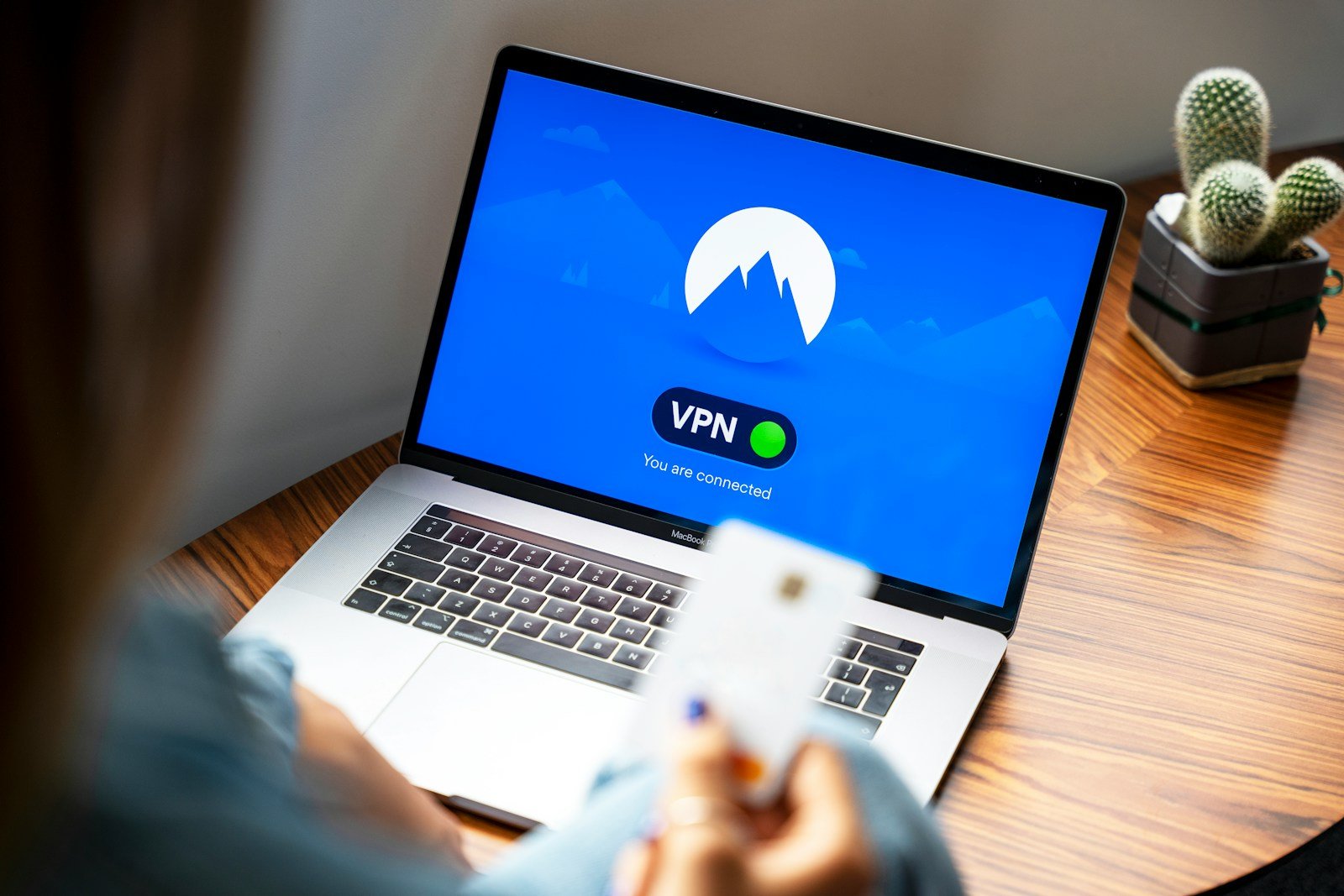
Click “Connect” and wait for the green light.
-
Only then open your email or banking app.
Conclusion
Traveling is about freedom—the freedom to explore new cities, taste new foods, and unplug from the daily grind. But true freedom also means being able to access your money without fear, chat with your family without censorship, and watch your favorite shows during a long layover.
A VPN for travel is the cheapest travel insurance you will ever buy. For the price of a single airport coffee per month, you get a digital bodyguard that works 24/7.
Whether you choose the raw speed of NordVPN, the budget-friendly flexibility of Surfshark, or the reliability of ExpressVPN, the most important thing is that you pick one—and use it.
Frequently Asked Questions (FAQ’s)
Will a VPN drain my phone battery?
Yes. Because your phone has to constantly encrypt and decrypt data in the background, a VPN will use more power than a standard connection.
Pro Tip: If you are out all day exploring and not using sensitive apps (banking/email), you can turn it off to save juice. But the moment you sit down at a cafe and connect to Wi-Fi, turn it back on. Always carry a portable power bank!
Do I need a VPN if I have international data roaming?
If you are using a roaming plan (like T-Mobile or Google Fi) on 4G/5G, your connection is generally more secure than public Wi-Fi because it is encrypted by the cellular carrier.
However: A VPN is still useful on data if you want to bypass geo-blocks (watch Netflix) or if you want to prevent your mobile carrier from tracking your browsing history.
Can I just use a "Free VPN" app from the App Store?
We strongly advise against it. A famous investigation by CSIRO (Australia's science agency) analyzed nearly 300 free VPN apps and found that 38% contained malware and 84% leaked user traffic. If you are on a budget, stick to the free tier of a reputable paid service like Proton VPN, rather than a random app that promises the world for free.
What if my VPN stops working while I'm traveling?
Don't panic. This happens, especially in restrictive countries.
Try a different server: If "US - New York" is blocked, try "US - Los Angeles" or "Japan."
Change Protocols: Go into your app settings and switch from "Auto" to OpenVPN (TCP). It is slower but harder for firewalls to block.